Review Comments (0) Screenshots (4) Questions & Answers (0) Votes (0) Awards (3) Wiki  
Cool Software, Inc.
6.0
www.coolconverter.com
Shareware
$29.99  Purchase
10 people
Download Cool Free AVI DIVX...

17.59 MBDownloaded 205 times

This software was checked for viruses and was found to contain no viruses.
Click here to see antivirus report.
 
Video tutorial for Cool Free AVI DIVX to All Video Converter 6.0
Frame

Review

This is official description

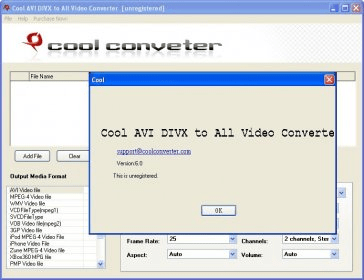
Cool AVI DIVX to All Video Converter is professional software which can help you convert AVI, DIVX video files to all other popular video formats. It supports converting AVI, DIVX to almost all video formats including MP4, WMV, VCD, SVCD, DVD, 3GP, iPod, iPhone, Zune, Xbox, PMP, PSP, Apple TV, Pocket PC, FLV, SWF and MOV. It can help you play your WMV, ASF video on your MP4, iPod, iPhone, Zune, PMP player easily. It has easy-to-use interface and can convert video files at high speed.

Main Features:

- Support converting AVI, DIVX to MP4, WMV, VCD, SVCD, DVD, 3GP, iPod, iPhone, Zune, Xbox, PMP, PSP, Apple TV, Pocket PC, FLV, SWF and MOV formats.
- Support batch conversion, so you can convert a number of video files at the same conversion settings at one time.
- Has intuitive and friendly interface, and works as a wizard, so it is very easy to operate.
- Run on Microsoft Windows 98, NT, 2000, XP, Vista.
 
The following review written by one of the Software Informer contributors applies to version 5.0

Cool AVI DIVX to All Video Converter is a powerful converting application designed with power and excellence. The tool helps you to quickly and easily convert AVI and DIVX video files into other video formats by performing just few steps. With its user friendly interface you can perform the conversion task without putting much effort. The tool supports a large array of output video formats like AVI, MPEG, WMV, VCD, SVCD, VOB Video file, Flash, 3GP, MOV and so on. The tools allow you to convert iPod, Zune, Pocket PC, Apple TV, PMP, and PSP compatible video formats so that you can play and enjoy the videos. Further, it also provides many customizing options. You can adjust quality of the output files like set video size, adjust video and audio quality, frame rate, aspect ratio, sample rate, select channels, and adjust volume according to requirement. It also offers profile settings and output settings, supports batch conversion facility. Use profile settings to adjust video quality automatically. It is supporting Microsoft Windows 98, NT, 2000, XP, Vista.
  • Support batch conversion.
  • Support multiple video formats.
  • None found.

Reviewed by: Venugopal Naidu

Reviewer rating:

Reviewed: 3 years ago

Report a wrong version Report a wrong program title Suggest a correction

Screenshots

Main window Main window Main Window Main Window Output Setting Output Setting Profile Setting Profile Setting

Latest comments


There are no comments, be the first one!
Add new comment

E-mail Address:

Password:

Register now »

Forgot password?

Sign in with:
Download Software Informer Client
Copyright © 2012, Informer Technologies, Inc. About| Privacy and terms| Help| Feedback & Support| Partners program